HungryStudio · Puzzle
Block Blast 10.8.1 for Android: the block puzzle game by HungryStudio. Drag shapes onto an 8×8 grid, clear rows and columns and build combos.
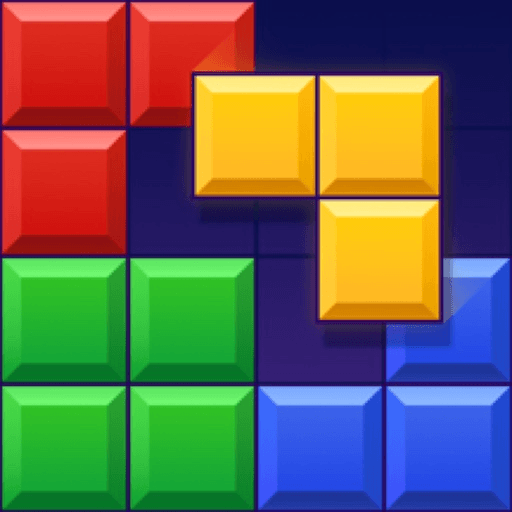
Block Blast is a block puzzle game from HungryStudio, and it has become one of the most popular puzzle titles on Android. The idea is simple and easy to pick up: you drag colourful shapes onto an 8×8 grid and try to complete full rows and columns, which then clear and free up space. There is no timer pushing you along, so the game rewards careful planning over speed. This guide explains what the game is, how it plays, what it offers, what the current version looks like, and what to know before installing it.
On Google Play the game is listed as free with ads and in-app purchases, is rated 3+, and shows more than one billion downloads with a rating of about 4.8 stars from roughly 5.56 million reviews. Those figures place it among the most installed and best-rated puzzle games on the platform.
Block Blast is a puzzle game in which you place blocks on a board rather than swap or match them. Each turn the game offers you a small set of shapes, and you choose where each one goes. When a row or column is completely filled it disappears, giving you room for the next pieces. If you run out of space for the shapes you are given, the round ends, so the whole game is about keeping the board open.
Google Play describes the gameplay as dragging and placing blocks on the board, completing rows and columns to clear space, creating bigger combos for higher scores, and keeping the board open. That short description captures the whole loop: place, clear, combo and repeat.
You play by dragging a block from the bottom of the screen onto the grid. There are no complicated menus or button combinations, so the game can be learned in seconds. The simplicity is a big reason it appeals to such a wide audience.
The goal on every turn is to complete lines. Filling a row or a column clears it, and clearing several at once earns more points. Planning ahead so that one placement completes more than one line is the central skill of the game.
Creating bigger combos leads to higher scores. Clearing lines on consecutive turns or clearing several lines with one block rewards players who think a few moves ahead. Chasing a new personal best is what keeps many players coming back.
The strategic heart of the game is leaving space. It is tempting to fill gaps quickly, but a crowded board leaves fewer places for awkward shapes. Good players keep large open areas and avoid creating isolated single holes that are hard to fill.
The game works without an internet connection, which makes it practical for travelling, waiting or places with poor reception. Once installed, you can start a round at any time.
The game includes daily challenges that offer endless replay value. They give you a reason to open the game regularly and try goals that are different from a normal round.
A round can last a few minutes, so it fits quick breaks, but there is no fixed limit on how long a good round can go, so you can also play for longer if you are enjoying it.
The version listed for this page is 10.8.1, which APKPure shows with an update date of 25 September 2026. The release notes on both APKPure and Google Play are general: they mention bug fixes and performance improvements, and say the developer continues to gather player feedback to improve the game. No single headline feature is named, so the best way to see what has changed is to open the game after updating.
As with any mobile game, the content you see can depend on your device, your region and the version you have installed.
Each turn you receive a set of shapes and place them anywhere they fit on the 8×8 grid. These habits help most new players improve quickly.
Improvement comes from thinking about the next shapes as well as the current one. If your rounds end early, you are probably filling the board too quickly. If your scores stay low, try setting up moves that clear several lines at once.
Strong scores usually come from patience. Rather than clearing a single line as soon as it is available, consider whether a slightly different placement would let you clear two or three lines together. Try to think in terms of shapes as well as squares: an awkward piece is easier to place if you have kept a matching gap open. Finally, remember that the game is meant to be relaxing, so play at a pace that feels comfortable for you.
Because every round is built from the same small toolkit, the difference between a short round and a long one comes down to how you think about the grid. One useful habit is to picture the board in zones. Keep one or two edges nearly full so that lines are easy to finish, and keep the middle open so that large shapes always have somewhere to go. Another habit is to look for placements that leave no awkward holes. A hole that is only one square wide can sit unused for many turns, and each unused square reduces the room you have for later pieces.
It also helps to think about which shapes are hardest to place and to prepare for them in advance. Long straight pieces and large squares need open space, so avoid filling every corner with small blocks. When you can, complete a line in a way that opens up a wider area rather than one that only removes a single row. Over many rounds you will notice patterns in how the board fills up, and recognising those patterns is what turns casual play into consistent high scores.
The game suits almost everyone who enjoys puzzles. Beginners can start right away because the only action is dragging a shape onto the board. Experienced players can push for higher scores by planning combos and managing space. Because rounds are short and the game works offline, it is also a comfortable choice for people who only have a few minutes at a time. Parents should remember that the game includes ads and in-app purchases, and can use the purchase controls in Google Play if children use the device.
The official source for the game is its Google Play listing, and this page links to it. Installing through Google Play gives automatic updates, and the store checks compatibility for your device. The size shown above is the figure listed on APKPure for this release, and the size you download can differ depending on your device and source. Check that the package name matches com.block.juggle, and only download files from sources you trust.
The simplest way to install the game is through Google Play. If you install an APK file yourself, the general steps are similar on most Android phones, though menu names vary between manufacturers.
After installing, you can turn the unknown-source permission off again if you turned it on, which keeps your phone tidier.
Android 7.1 or higher is required for the version listed here, so most phones from recent years can run it. The download is about 224.6 MB according to APKPure, so make sure you have enough free storage, and remember that the game may need extra space for data after installation. The game is a light puzzle title, but very old devices may still load slowly. Closing background apps usually helps.
The Google Play listing says the game is free with ads and in-app purchases. Its data safety section says the app collects personal information and app activity, shares some data such as photos, videos and device identifiers with third parties, encrypts data in transit and lets users request deletion. Read the current data safety information on Google Play before installing so you can decide what you are comfortable with.
If children play on your phone, consider turning on purchase controls in Google Play so that spending always needs approval.
If the game does not install, check that your device runs Android 7.1 or higher and that you have enough free storage. If an APK install is blocked, check that you have allowed installs from that source in your settings. If the game runs slowly, close other apps and restart your phone. If daily challenges do not appear, check your connection and update to the latest version. If problems continue, reinstalling is a reasonable last step, but first make sure your progress is saved so that you do not lose it.
If you enjoy block puzzles, there are many other puzzle games on Android that use grids, shapes and line clearing, along with match-3 and word games. Some focus on relaxed play and others on tougher challenges. Trying a few is a good way to learn which style you prefer.
Part of the lasting appeal of Block Blast is that every round feels fair. When a round ends, it is usually clear why: the board became too crowded or a shape had nowhere to go. That clarity makes each attempt feel like a chance to improve. The lack of a timer, the offline play and the short rounds fit easily into a busy day, and the friendly look suits a wide audience, which matches its 3+ rating on Google Play.
Block Blast shows how much depth can come from a simple idea. With drag-and-place controls, line clearing, combos, daily challenges and offline play, it offers a lot for a free game. Version 10.8.1 brings bug fixes and performance improvements, and the game is available on Google Play from HungryStudio. If you like planning clever placements on a tidy grid, it is well worth trying. Just remember that it includes ads and in-app purchases, and install it only from a source you trust.
0 ratings
Rate this app