Mojang · Adventure
Minecraft for Android is the Bedrock Edition sandbox game by Mojang: gather resources, craft, build and survive alone or with friends. Version 26.45 on Google Play, $6.99 with optional in-app purchases.
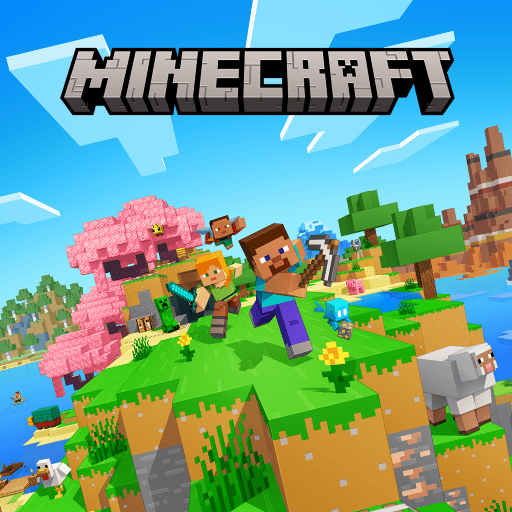
Minecraft for Android is the mobile edition of the best-known sandbox game in the world. It is published on Google Play as "Minecraft: Dream it, Build it!" by Mojang, part of Microsoft, and its official package name is com.mojang.minecraftpe. The version shown on the Google Play listing when this page was written is 26.45, last updated on August 19, 2026. The listing shows more than 50 million downloads and a rating of 4.3 stars from about 5.83 million reviews, and it is rated Everyone 10+ for fantasy violence, user interaction and in-game purchases.
Unlike many of the games on this site, Minecraft is not free. The Google Play price at the time of writing is $6.99, paid once, with optional in-game purchases on top. That matters for anyone searching for a Minecraft APK: the only version this page recommends is the official one from Google Play, and this guide explains what you get for the price, what your phone needs, how the game works and how to fix the most common problems.
Minecraft is an open-world game about gathering resources, crafting tools and building whatever you can imagine. There is no fixed story you must follow and no timer pushing you forward. You arrive in a world made of blocks, and the world itself is the game: trees to chop, caves to explore, animals to farm, monsters to survive at night and structures to build from almost any material you find.
The Android app is the Bedrock Edition of Minecraft. Bedrock is the version designed to run on many kinds of devices, and the Google Play listing highlights cross-platform play, a Marketplace for creator-made content and customization through add-ons and resource packs. It is a different codebase from the Java Edition that is played on computers, which is why some things, such as certain community mods, do not carry across between the two.
The appeal is that the same simple loop works for very different players. Some people treat it as a survival challenge, some as a creative canvas for architecture and pixel art, some as a place to play with friends, and some as a way to learn how simple machines and logic work through redstone. A short session can be five minutes of mining, and a long project can last for months.
Minecraft is usually played in two main ways. In Survival mode you have a health bar and a hunger bar, you must collect resources by hand, and mobs that appear in darkness are a real danger. In Creative mode you can fly, you have unlimited blocks and you cannot be harmed, which makes it the natural choice for large builds. Difficulty settings range from Peaceful to Hard and change how dangerous the world is and how hunger and damage behave, so a new player can start gently and raise the challenge later.
Minecraft on Android is built around touch controls. You move with an on-screen control, look around by dragging the screen, tap to place blocks and hold to break them. Buttons on the screen handle jumping, crouching and opening your inventory. The layout can be changed in the settings, and if you prefer physical buttons the game can also be played with a compatible game controller.
A typical first game follows a natural order. You punch trees to collect wood, turn the wood into planks and craft a crafting table. From there you make wooden tools, use them to mine stone, and craft better tools. Before the first night ends you will want a shelter and a bed, because sleeping skips the night and lets you set your spawn point. Later you dig into caves and mines for coal, iron and other ores, smelt them in a furnace and use them to craft stronger tools, armor and weapons.
Every world is generated from a seed, so no two worlds are exactly alike, and it contains many biomes such as forests, deserts, snowy plains, jungles, mountains and oceans. Beyond the overworld you can build a portal to the Nether, a dangerous fiery dimension with its own resources, and later find your way to the End, where the Ender Dragon waits. Reaching those places is optional, but they give long-term goals to players who want them.
The Google Play listing says you can play with up to 10 friends on private servers, and Bedrock supports cross-platform play, so friends on other devices can join the same world. Online features generally require a Microsoft account. The in-game Marketplace lets you buy or download content made by creators, such as maps, skins and texture packs, and add-ons and resource packs let you change how the game looks and behaves. Purchases in the Marketplace are optional and are separate from the price of the game itself.
The Google Play page for version 26.45 lists only "Various bug fixes!" as the change in that update, so it is a maintenance release rather than a feature release. The larger content news comes from the Bedrock Edition release called 26.50: Wilderness Bound, which the Minecraft Wiki lists as released on September 15, 2026.
According to the wiki, that update brings a new dappled forest biome and the following additions:
Because the Google Play listing showed 26.45 when this page was written, check the Play Store on your own device to see which version your phone is offered. Updates can reach different platforms and regions at different times, and this page does not promise that a specific feature is already available in your copy of the app.
The details below are taken from the official Google Play listing unless stated otherwise.
The download button on this page leads to the official Google Play listing. Prices vary by country and can change with sales, so the store page on your device shows the price that applies to you. This page does not host a modified or "free" copy of the game, and it does not verify the safety of any third-party file.
Google Play does not show a single minimum Android version on the page this guide used, so the figures below come from the Minecraft Wiki's system requirements for Bedrock Edition on Android. Treat them as the minimum and check the Play Store listing on your own device, which will tell you whether your phone is compatible.
These are minimums, not a promise of smooth play. Larger worlds, higher render distances and heavy Marketplace content ask more of the device, so a phone with more memory and a recent processor will feel noticeably better. Most modern Android phones and tablets are supported, including Pixel devices.
Most problems have simple causes. These are the ones players run into most often on Android, along with sensible first steps.
If the problem continues, the official Minecraft help center is the best place to look, because it covers device-specific issues that a general guide cannot.
If you want something in the same spirit, the sandbox and survival genre has other options on Android. Different games emphasize different things, so it helps to decide what you enjoy most about Minecraft first.
None of these replaces the official Minecraft, but they can be a good fit if you are unsure about paying for the game or want a different kind of experience.
Minecraft remains one of the most flexible games you can put on a phone. It gives you a world, a set of simple rules and plenty of room to decide what to do, whether that is surviving a first night, building a house, exploring a cave with friends or working on a long project. The Android version is the full Bedrock experience, with cross-platform play, a Marketplace and support for add-ons.
The one thing to remember is that the official game costs money, and the safest place to get it is the Google Play listing linked from this page. If your phone meets the requirements and you like open-ended games, it is an easy recommendation. Start in Creative mode if you want to learn the controls, switch to Survival when you are ready for a challenge, and check the Play Store regularly for new updates.
0 ratings
Rate this app